I’ve been using LLMs daily since GPT-3.5 dropped. But if I’m honest, I mostly use them as a glorified search engine—ideation, summarization, and research.
I rarely use them to actually write code.
My hesitation comes from a pretty bad experience with GitHub Copilot early on. It felt intrusive, and I spent more time correcting it than coding. But last week, things changed. We hosted our Wunderflats hackathon at the Google offices in Berlin, and as part of the event, we got access to playground accounts with AI credits.
One of the Googlers mentioned they had built a Gemini CLI that hooks seamlessly into VS Code. Despite my initial resistance to letting AI back into my editor, I had free credits to burn, so I decided to give it a try.
First Impressions: It’s actually sleek
I have to give credit where it’s due: I really liked the integration.
Unlike my experience with Copilot, Gemini CLI lives in the terminal. It felt seamless. It didn’t feel like it was trying to take over my screen; it just sat there waiting for me to call on it.
Battling the “Prompt Demons”
However, once the novelty wore off, the old struggles came back.
I’ve always struggled to get LLMs to do exactly what I want without feeling like I could have just written the code myself. I call this battling the “prompt demons.”
I’m happy to admit that this might be a “me problem.” I’m just more productive writing the code the way I want it, rather than trying to engineer the optimal prompt to get the same result. I usually get the most value when I ask the LLM to surface information or, at best, write a rough outline of a function that I can refine later.
But then, I ran into a new problem: Quota limits. After a few hours of experimenting on the free tier, I hit the wall. Since I was already curious, I upgraded to a pay-as-you-go plan to see what would happen.
The €1.00 Pull Request
I decided to test the paid tier on a real-world scenario. I took an existing project and asked Gemini to handle some minor tweaks and improvements—mainly cleaning up known technical debt.
- The Task: Refactor and improve existing code.
- The Scope: 3 files, roughly 70 lines of code each.
- The Result: A solid cleanup job.
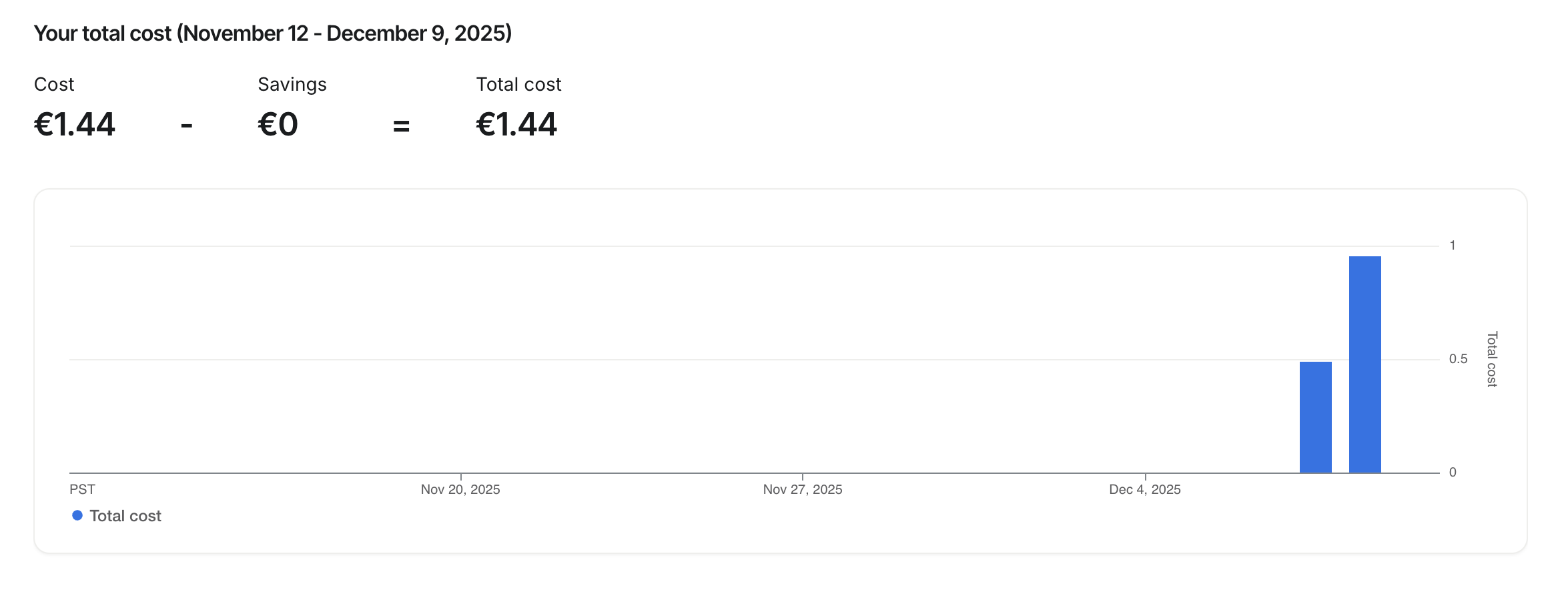
The Cost: Just over €1.00.
When I saw that number, I paused. On one hand, €1.00 is not bad for a task that might have taken me two hours to do manually. That is a massive ROI on time.
But imagine doing this continuously. If I’m reprompting, debugging, and wasting tokens throughout a standard workday, I can easily see this hitting €10 a day. That adds up to a €300 monthly bill.
Final Thoughts
The Gemini CLI is sleek—much better than the other AI coding tools I’ve tried. The terminal integration makes sense for my workflow.
But is it worth the price tag?
I’ll keep it installed, but I probably won’t use it as a daily driver. For €1.00, it’s great for the occasional heavy lift or clearing out tech debt, but for now, I’ll stick to writing the core logic myself.